HPE Aruba AOS-S Remote Mirroring
In this post I’ll walk through how to set up remote mirroring on an HPE Aruba AOS-S (Provision) switch.
We’ll start by defining the mirror session — that is, the remote destination the switch will forward the mirrored traffic to:
mirror 1 remote ip 192.168.0.4 5555 192.168.0.21
In this command, 192.168.0.4 is the switch’s own source IP, 5555 is the remote UDP port, and 192.168.0.21 is the destination (the receiver) that will collect the traffic.
Next we’ll assign the port we want to monitor, which acts as the mirror source:
interface 5 monitor all both mirror 1
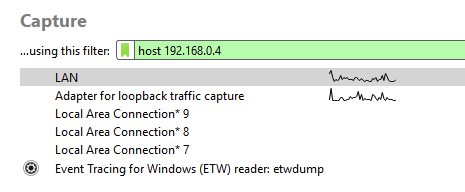
Now head over to the remote server, launch Wireshark, and begin capturing on the interface assigned the 192.168.0.21 address, applying a capture filter for host 192.168.0.4.
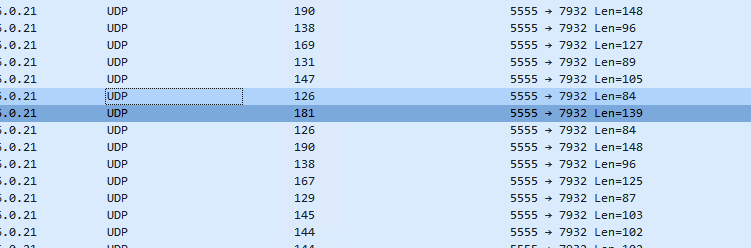
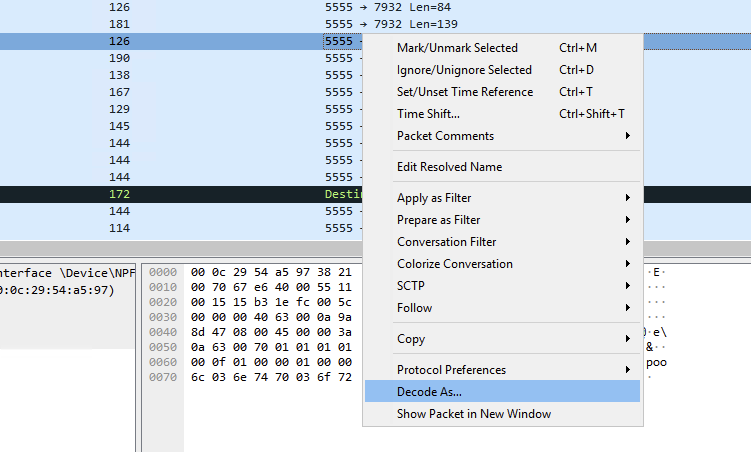
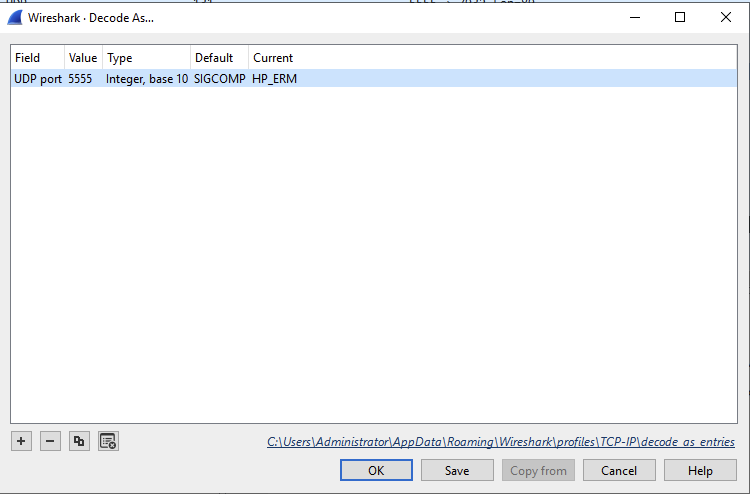
You’ll see that the captured frames appear as raw data packets that Wireshark doesn’t decode. Right-click any of them and choose “Decode As…” from the menu. In the dialog that opens, click the Current field and pick HP_ERM from the drop-down. Wireshark will then decode the packets and reveal the encapsulated traffic with all the relevant details.